
Invoice Scheme Setup
With NEXA ERP you can configure the format for your invoice number.
To configure go to Settings -> Invoice settings
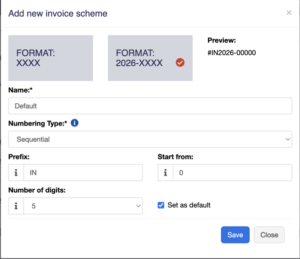
- Click on Add and select a scheme format.
Format can be XXXX or <year>-XXXX - You can also provide a custom prefix, invoice start number, number of digits in the invoice number.
- The preview box will display the preview according to the chosen option.
- You will need to set a default invoice scheme for a business to use it.
Still stuck? How can we help?
Last updated:
Was this article helpful to you?