Categorizing products helps you to easily manage and filter them in reports.
Adding Category & Sub-Category
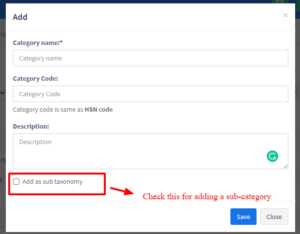
- Go to Product -> Categories -> Add
- Add Category name, category code(HSN code)
- If the category is sub-category select “Add as sub taxonomy” and select the parent category.