The Customer Display Screen feature allows customers to view their order details in real-time during billing. It enhances transparency and customer engagement by displaying item names, prices, total amount, and promotional messages(Ads).
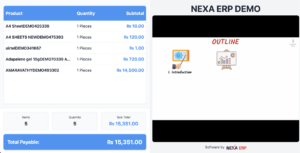
How to view the Customer Display Screen
To display the customer display screen, follow the below steps
Step 1: Go to POS screen, you will find a screen icon
Step 2: Open the icon in a new tab
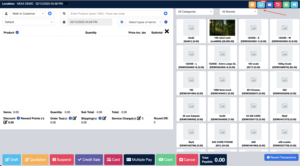
Whatever products you add or delete or change the price in the POS screen it will reflected in the Customer Display Screen.
Running Ads in Customer Display Screen
You can run ads like Mega Discount Sale, Stock Clearance Sale etc in the Customer Display Screen.
To upload images for this ads, follow the below steps
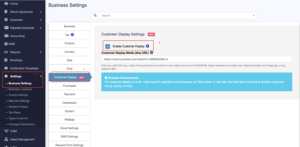
Step 1: Go to Settings > Business Settings > Customer Display tab.
Step 2: Here you can update the images or video URL.