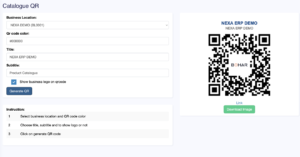
It is a new way of sharing the menu & showing products in restaurant & retail shops respectively.
Features
- QR code generation based on the selected business location
- QR code download as image
- QR code color picker
- Product menu, grouped by categories.
- Product images, price, SKU, description, discounts & offers are shown in a beautiful way
Hide Display of Raw Materials
To stop displaying raw materials in the Menu follow the below steps:
- Go to add/edit product
- Check the “Not For Selling” Checkbox
- Save it.
Products Not for selling will not be displayed in Menu & also not be displayed in POS/Sell screen.